Serious GPUs,by the hour
Rent a machine by the hour and SSH straight in, or turn a Hugging Face model repo into a private OpenAI-compatible endpoint. You never spend more than you load.
GPU models in the marketplace
- B200
- H200
- H100
- A100
- L40S
- RTX 4090
GloudisaGPUcloudfordeveloperswhoneedrealhardwareforafewhours,notayearlycontract:rentamachineoverSSH,orturnaHuggingFacemodelintoaprivateOpenAI-compatibleendpoint,andpayonlyforthetimeitruns.
Rent GPUs by the hour
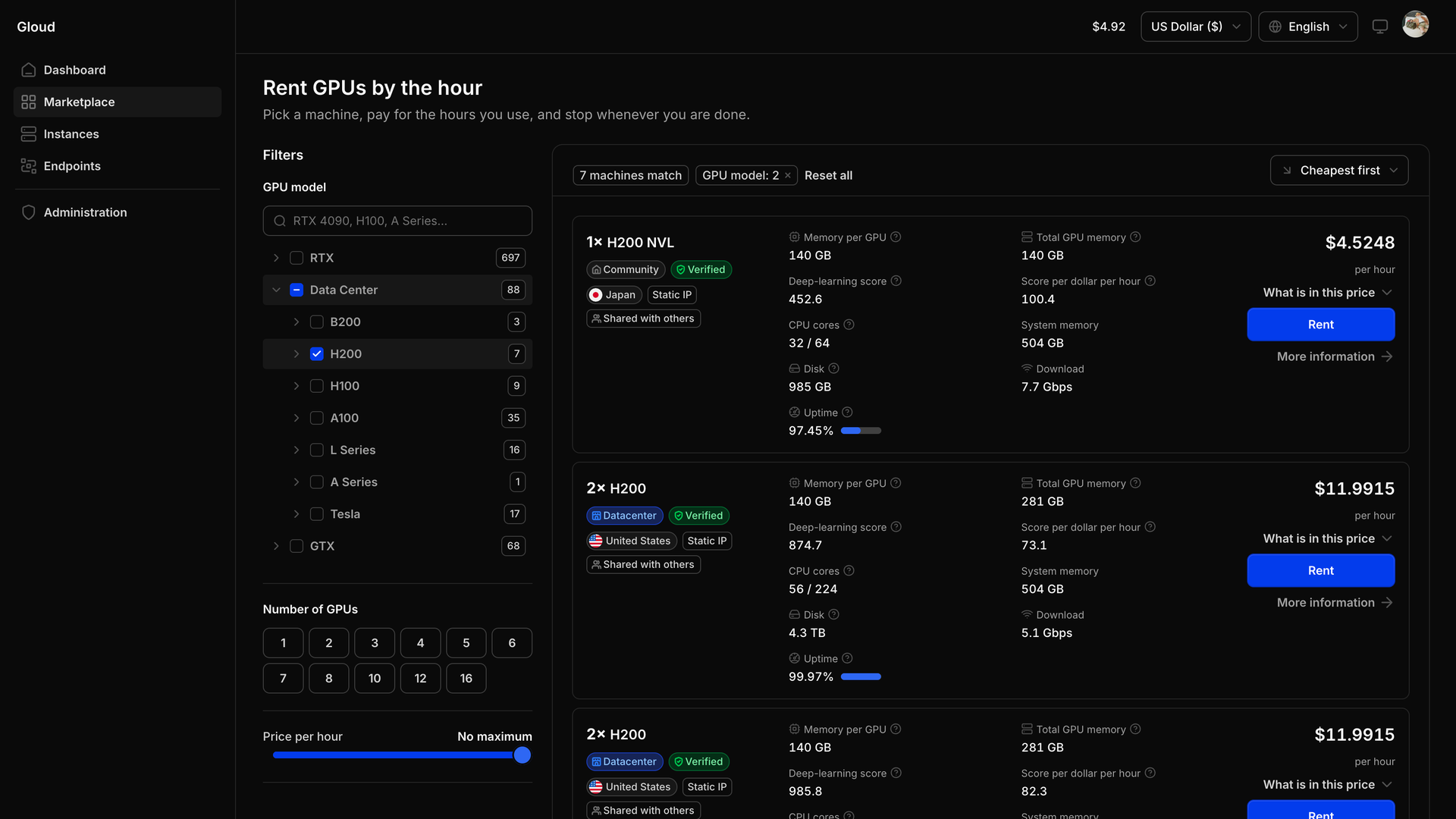
Filter the marketplace by GPU model, GPU count and price per hour, and read the specs on an offer before you take it.
Clean Ubuntu with direct SSH, and a Jupyter notebook if you want one. It is your machine while you hold it.
- B200
- H200
- H100
- A100
- L40S
- RTX 4090
$ ssh root@your-machine
8× H200 · Ubuntu · Jupyter optional
A model repo in, an endpoint out
Paste a Hugging Face model repo. Gloud sizes it, shows you the machines that fit, and serves the one you pick on a private OpenAI-compatible endpoint with a key only you hold.
Endpoint
- hf.co/<org>/<model>
- ep-a1b2c3.gpu.gloud.ai
- gl_live_••••••••••••
Sized, provisioned with vLLM, and served over HTTPS.
Add funds, spend them by the hour
Set a spend cap and the account stops what is running before your balance goes negative, so nothing keeps charging while you are not looking.
- Prepaid wallet
- Billed hourly
- Auto-stop on low balance
In your language
The console ships in English and Turkish, and you can switch whenever you like.
What you actually get
Plain answers about hardware and money, before you spend anything.
A prepaid wallet, not an invoice
You add funds first and draw them down as you go. No invoice arrives later, and you can never be billed more than you have put in.
Metered by the hour
Machines and endpoints are metered while they run. Stop them and the meter stops with them.
A stopped machine keeps its disk
Stopping a machine keeps your data, and the disk is still charged. Destroy it once you no longer need what is on it.
An endpoint bills from creation
The clock starts when you create an endpoint, not when it finishes loading the model and turns ready.
Your key, not ours
Every endpoint gets its own hostname and an OpenAI-compatible API key that only you hold.
Every movement is written down
A double-entry ledger backs the balance, with statements you can read and spend caps you can set.
How it works
Three steps from an empty account to a GPU you can SSH into, or a model you can call over HTTPS.
Open consoleAdd funds
Top up first. Your balance is the only thing that decides what you can start, and how long it stays up.
Rent a GPU
Take the offer you want and connect over SSH as root. The machine is yours until you stop it.
Serve a model
Paste a Hugging Face model repo. Gloud sizes it, shows you the machines that fit, and provisions the one you pick with vLLM behind your own endpoint.
No plans. Just hours.
There is no subscription, no seat count and no minimum spend. You add funds, start what you need, and pay for the time it runs.
Example live prices observed in the marketplace. Prices move with supply, and many other GPU models are listed.
Every offer shows its own numbers
Alongside the hourly price, each machine in the marketplace lists memory per GPU, total GPU memory, deep-learning score, score per dollar per hour, CPU cores, system memory, disk, download speed, uptime and location.
- Datacenter
- Capacity running in professional datacenters.
- Community
- Cheaper capacity run by individuals rather than datacenters.
Anything that runs on a Linux machine with an NVIDIA GPU. You get clean Ubuntu with direct SSH, and a Jupyter notebook if you want one. Training, fine-tuning, batch jobs, inference — while the machine is yours, what runs on it is up to you.